WiFi Configuration
The ESP32 on the RoArm-M2-S supports three WiFi modes. The mode persists across reboots via a configuration file stored in flash.
WiFi Modes
Section titled “WiFi Modes”| Mode | Code | Description |
|---|---|---|
| Off | 0 | WiFi disabled |
| AP | 1 | Arm creates its own access point |
| STA | 2 | Arm joins your existing network |
| AP+STA | 3 | Both simultaneously (default) |
Configuration Commands
Section titled “Configuration Commands”Create a standalone access point. Useful for field operation without a router.
Set AP credentials:
{"T":402,"ssid":"RoArm-M2","password":"12345678"}Enable AP-only mode on boot:
{"T":401,"cmd":1}Connect to the RoArm-M2 network, then access the web interface at 192.168.4.1.
Join an existing WiFi network. The arm gets an IP from your router’s DHCP.
Set STA credentials:
{"T":403,"ssid":"YourNetwork","password":"YourPassword"}Enable STA-only mode on boot:
{"T":401,"cmd":2}Check the serial monitor or send {"T":405} to find the assigned IP address.
Run both modes at once — the arm creates its own AP while also connecting to your network. This is the default mode.
Configure both simultaneously:
{"T":404,"ap_ssid":"RoArm-M2","ap_password":"12345678","sta_ssid":"YourNetwork","sta_password":"YourPassword"}Enable AP+STA mode on boot:
{"T":401,"cmd":3}Persisting Configuration
Section titled “Persisting Configuration”WiFi settings are saved to a wifiConfig.json file in the ESP32’s flash storage. Two ways to create it:
From current running config:
{"T":406}From explicit parameters:
{"T":407,"mode":3,"ap_ssid":"RoArm-M2","ap_password":"12345678","sta_ssid":"YourNetwork","sta_password":"YourPassword"}The arm reads this file on boot and applies the saved configuration automatically.
Checking WiFi Status
Section titled “Checking WiFi Status”Query the current WiFi state:
{"T":405}Returns the current mode, SSID, IP address, signal strength, and MAC address.
Disconnecting
Section titled “Disconnecting”To stop WiFi (until next reboot):
{"T":408}Disabling WiFi on Boot
Section titled “Disabling WiFi on Boot”If you only need serial control, disable WiFi entirely:
{"T":401,"cmd":0}Web Interface
Section titled “Web Interface”Once connected via WiFi, open the arm’s IP address in a browser. The built-in web application provides:
- Joint angle sliders
- XYZ coordinate control
- Gripper open/close
- Mission recording and playback
- WiFi and servo configuration
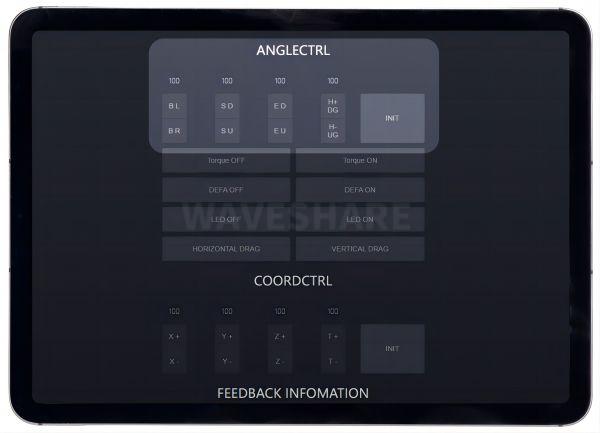 Image: Waveshare
Command Reference
Section titled “Command Reference”| T-Code | Command | Description |
|---|---|---|
| 401 | CMD_WIFI_ON_BOOT | Set WiFi mode at boot (0/1/2/3) |
| 402 | CMD_SET_AP | Configure AP SSID and password |
| 403 | CMD_SET_STA | Configure STA SSID and password |
| 404 | CMD_WIFI_APSTA | Configure AP+STA simultaneously |
| 405 | CMD_WIFI_INFO | Query current WiFi status |
| 406 | CMD_WIFI_CONFIG_CREATE_BY_STATUS | Save current config to flash |
| 407 | CMD_WIFI_CONFIG_CREATE_BY_INPUT | Save explicit config to flash |
| 408 | CMD_WIFI_STOP | Disconnect WiFi |
WiFi configuration reference from Waveshare Wiki and firmware source json_cmd.h.